Streamlining continuous team management.
Streamlining 1:1 performance tracking, feedback, and growth for managers and teams.
Team Studio - light setup
Using Replit, I built a functional, manager-focused prototype. Because it was a beta without deep API access, it required some light initial setup.
AI-Powered Data Normalization
To bypass these data limitations, I integrated Rovo (Atlassian's AI agent) to pull unstructured performance docs from our knowledge base and automatically parse them into normalized, structured rubrics for Team Studio.

Capacity Tracking Configuration
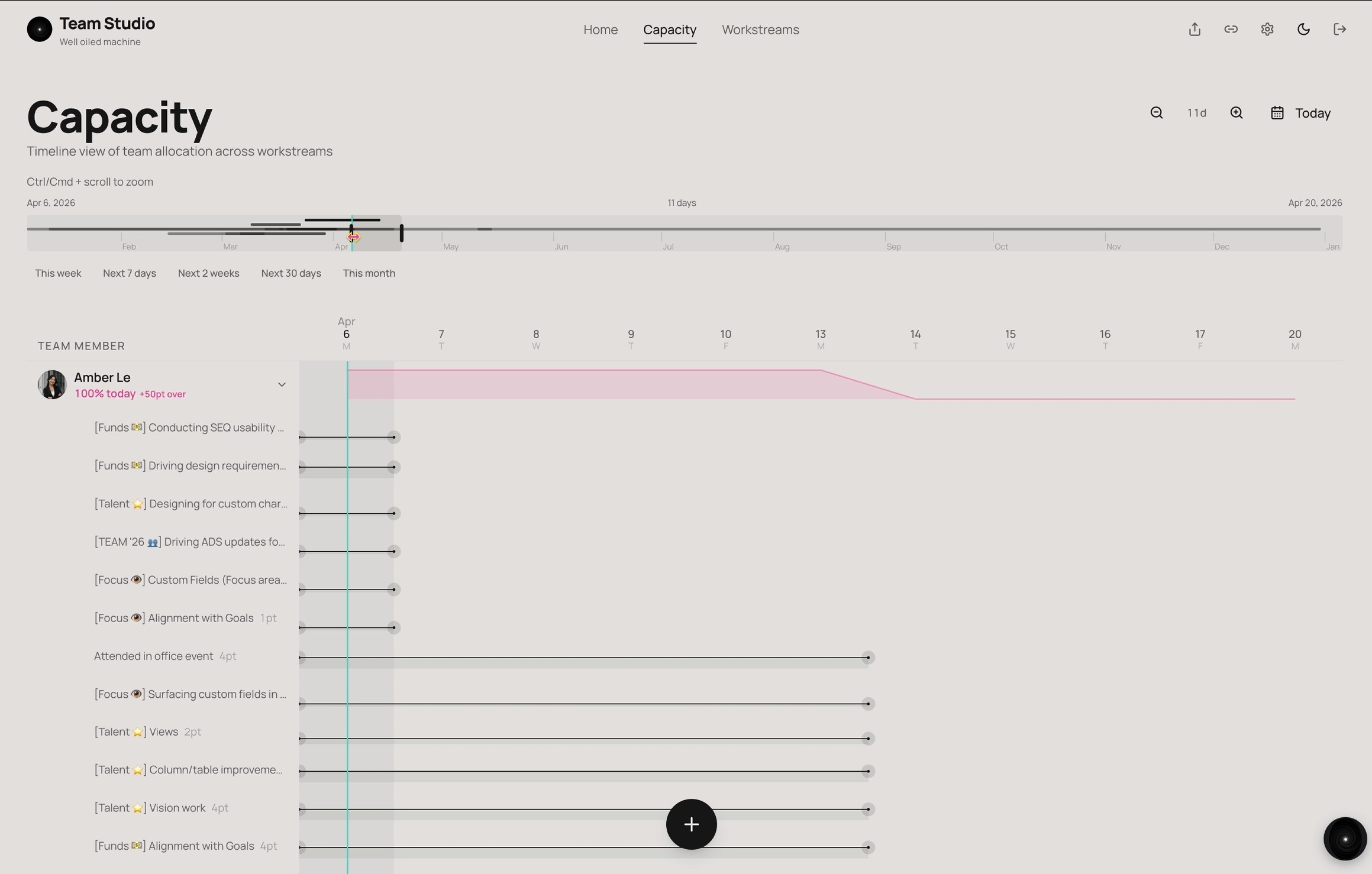
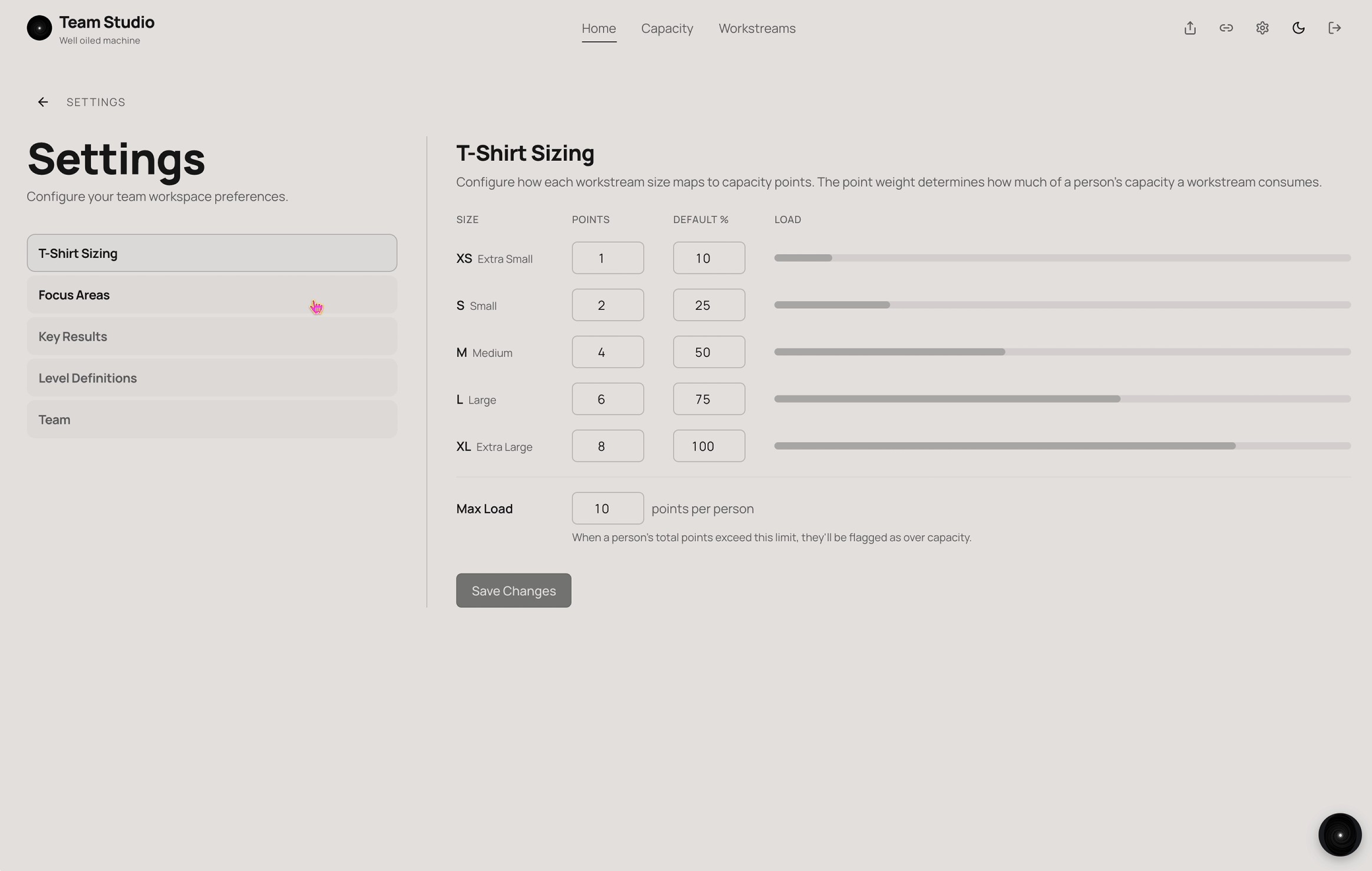
The only manual step for managers was defining their mental model for T-shirt sizing, which grounded the tool's capacity tracking.
"What are you working on?"
Understanding team capacity is critical, especially for teams stretching to cover multiple business areas.
In Team Studio, the core unit of tracking is a workstream. By combining start/end dates with T-shirt sizing, workstreams give managers an instant, glanceable read on both individual workload and overall team capacity.

"How am I doing?"
"How am I doing?" is a difficult question to answer not for lack of feedback, but because traditional answers are qualitative and hard to plan against.
Interactive Performance Mapping
Using the AI-parsed level rubrics, Team Studio provides an interactive map where managers and ICs collaboratively link active workstreams to specific performance expectations.

Growth & Trajectory Insights
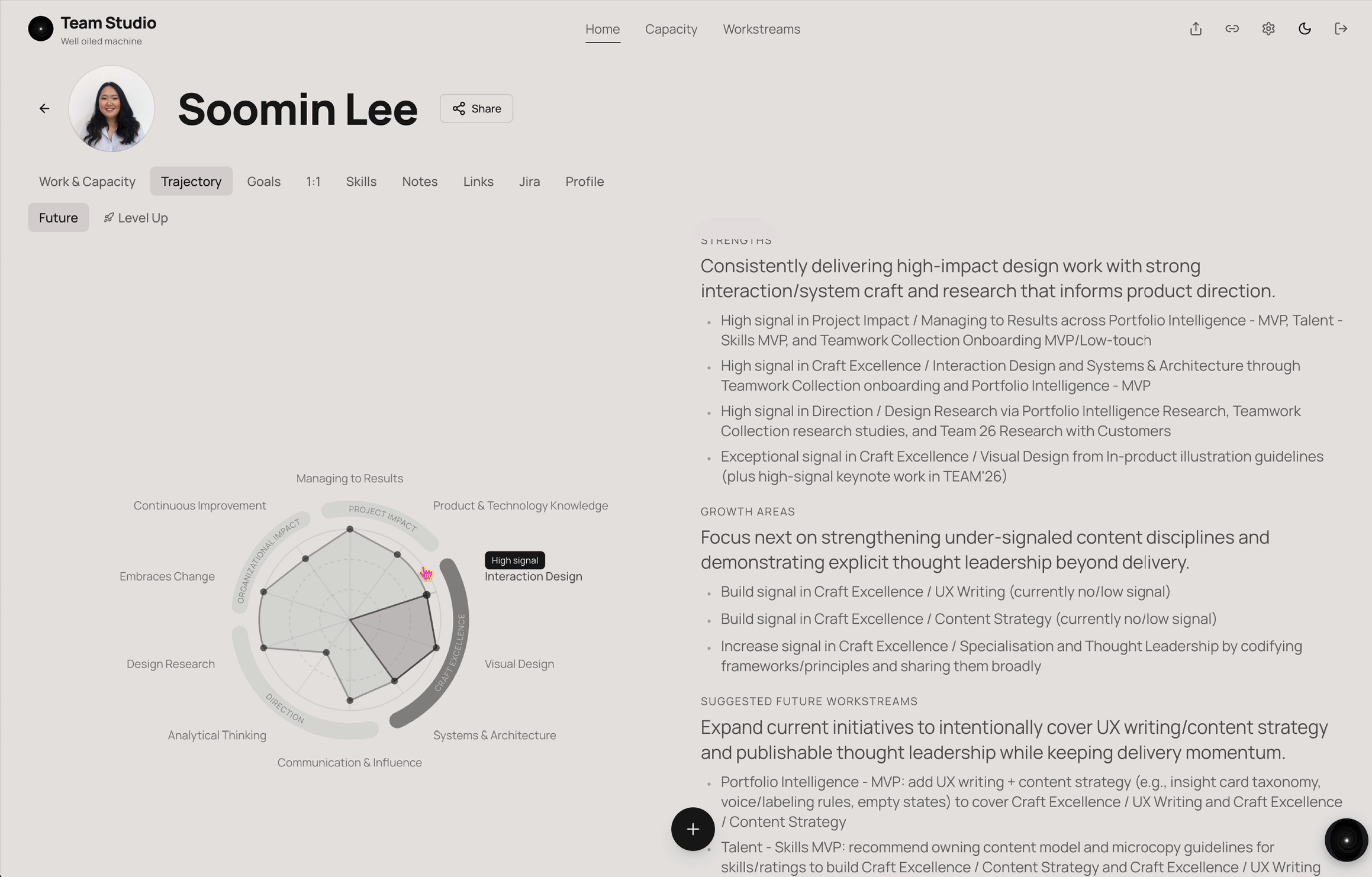
This creates a visual, succinct map of strengths and growth areas. The rubric data then powers a glanceable radar chart and an AI-generated summary of what's going well and where to focus next.
"Can I get a promo?"
While a promotion is never guaranteed, managers and ICs need a structured way to quantify opportunities and plan for the next level.
Team Studio's "level up" feature exposes the rubric for the IC's next career level. Managers and ICs can then map current workstreams against those higher expectations, keeping conversations grounded and ensuring no surprises during performance reviews.
